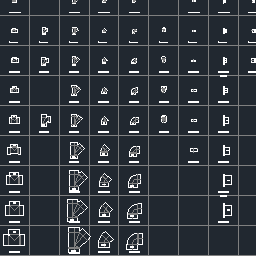
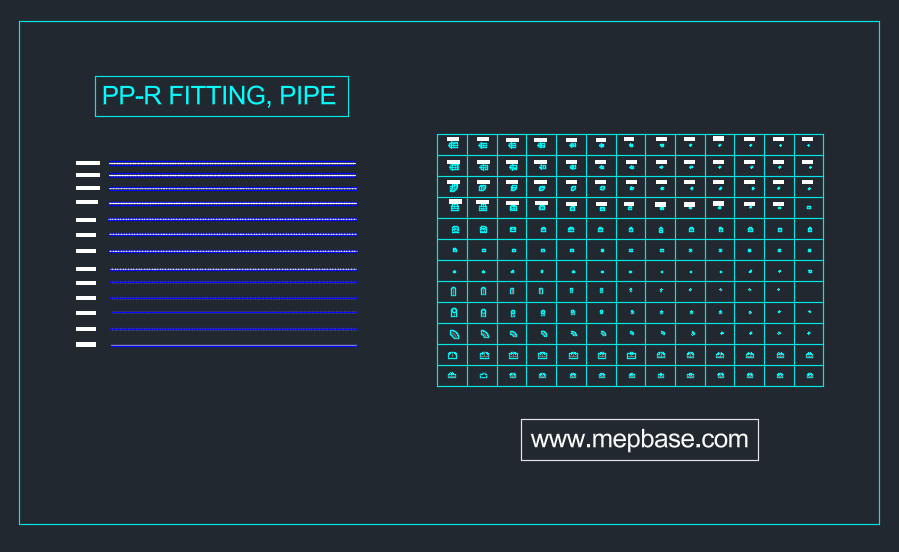
Looking for clean, ready-to-use PPR fittings CAD blocks? This free DWG gives you a complete set of dynamic AutoCAD blocks for PP-R piping: elbows, tees, reducing tees, up and down elbows, reducers and PPR pipes, with sizes from 20 mm to 160 mm.
Instead of keeping a separate block for every diameter, you insert one block and pick the size from a list. Your drawing stays light, and your water supply shop drawings are finished faster.
File Information
- File Name: PP-R_FITTING_PIPE.dwg
- File Type: .dwg (AutoCAD drawing)
- Block Type: Dynamic blocks
- Sizes: 20 mm to 160 mm outside diameter
- Software: AutoCAD 2016 or newer recommended
- Usage: Free, including commercial projects
PPR Fittings Included in the DWG
- PP-R Elbow 90°: plan and elevation views, all sizes.
- PP-R Elbow 45°: for offsets and angled runs.
- PP-R Equal Tee: branch connections on risers and mains.
- PP-R Reducing Tee: main size and branch size selected separately.
- PP-R Up Elbow (riser up): standard plan symbol.
- PP-R Down Elbow (riser down): standard plan symbol.
- PP-R Reducer / Coupling: concentric size change.
- PP-R Pipe: single-line and double-line, stretchable to any length.
PPR Pipe Sizes Covered
PPR pipe is named by its outside diameter in mm. Many consultant drawings still show sizes in inches, so use this table to match them.
| PPR Outside Diameter | Common Inch Equivalent | Typical Application |
|---|---|---|
| 20 mm | 1/2 in. | Fixture branches: wash basin, WC, sink |
| 25 mm | 3/4 in. | Fixture branches and small toilet groups |
| 32 mm | 1 in. | Toilet groups and apartment sub-mains |
| 40 mm | 1 1/4 in. | Apartment sub-mains |
| 50 mm | 1 1/2 in. | Floor mains |
| 63 mm | 2 in. | Floor mains and riser branches |
| 75 mm | 2 1/2 in. | Main risers |
| 90 mm | 3 in. | Main risers and pump discharge lines |
| 110 mm | 4 in. | Building mains and tank connections |
| 160 mm | 6 in. | Building mains and tank connections |
The inch values are the usual trade equivalents, and the applications are typical examples only. Size the pipes from your own flow calculation.
Why Use Dynamic PPR Blocks?
- One block, every size: select the block, open the size list and choose 20 mm or 110 mm. The geometry updates without scaling or exploding.
- Smaller drawings: one dynamic definition replaces dozens of static blocks, so the file stays light.
- Consistent shop drawings: every elbow and tee comes from the same definition, so symbols look the same on all sheets.
- Ready for Tool Palettes: drag the blocks into a Tool Palette once and use them in every project.
How to Use the PPR CAD Blocks
- Download the DWG file and open it.
- Copy the block you need into your project drawing.
- Click the block, then use the lookup grip to select the PPR size.
- For the reducing tee, select the main size and the branch size.
- Use the stretch grips on the pipe block to extend the run to any length.
- Place everything on your water supply layer.
Practical Notes
| Point | Why It Matters | What to Do |
|---|---|---|
| Outside diameter | PPR is sized by outside diameter. The pressure class (PN) changes the wall thickness, not the outside diameter | Use the same block for every PN class, and write the class in the pipe label, for example PP-R Ø32 PN20 |
| Hot water lines | PPR expands much more than steel or copper when it is heated | Show expansion loops or offsets on long hot water runs, as per the manufacturer’s data |
| Threaded connections | PPR fittings are fusion welded. Valves, meters and fixtures need a threaded transition fitting | Show male or female threaded adaptors at every valve and fixture connection |
| Supports | Support spacing for PPR is closer than for metal pipe and changes with water temperature | Take the spacing from the manufacturer’s table and show it in the drawing notes |
| Inch sizes on consultant drawings | An inch size is not the PPR outside diameter | Convert with the table above before you select the block size |
Download PPR Fittings and Pipe CAD Blocks
Click below to download the PP-R fittings and pipe dynamic block library in DWG format. The link will appear after a short wait.
Checking…
Related Downloads
- AutoCAD Dynamic Plumbing Blocks DWG Free Download
- Pipe Fitting CAD Blocks Free Download (Valves and Gauges)
- AutoCAD MEP Fittings Block Library
- AutoCAD Victaulic Fittings Block Library
- Complete AutoCAD Blocks Library for MEP Systems
Frequently Asked Questions
Are these PPR CAD blocks free?
Yes. The DWG is free to download and can be used in commercial MEP projects.
Which PPR sizes are included?
The blocks cover standard PP-R outside diameters from 20 mm to 160 mm. You select the size from the lookup list of each block.
Do the blocks include reducing tees?
Yes. The reducing tee is a dynamic block where the main size and the branch size are selected separately, so you can draw any combination without editing the block.
Is PPR the same as PP-R?
Yes. Both names mean polypropylene random copolymer pipe, used for hot and cold water supply.
Can I use the same block for PN10, PN16 and PN20 pipe?
Yes. The pressure class changes the wall thickness, not the outside diameter, so the drawing symbol is the same. Write the PN class in the pipe label.
Which AutoCAD version do I need?
AutoCAD 2016 or newer is recommended for full dynamic block functions. Older versions may open the file but may not support every parameter.
Can I add the blocks to my Tool Palette?
Yes. Drag any block from the drawing into an open Tool Palette and it is saved for future projects.
Need another PPR fitting or a fix in this file? Leave a comment below. Stay connected with MEPBase.com for more DWG files, AutoLISP tools and MEP calculators.