Sewage & Drainage Blocks DWG – Free Download
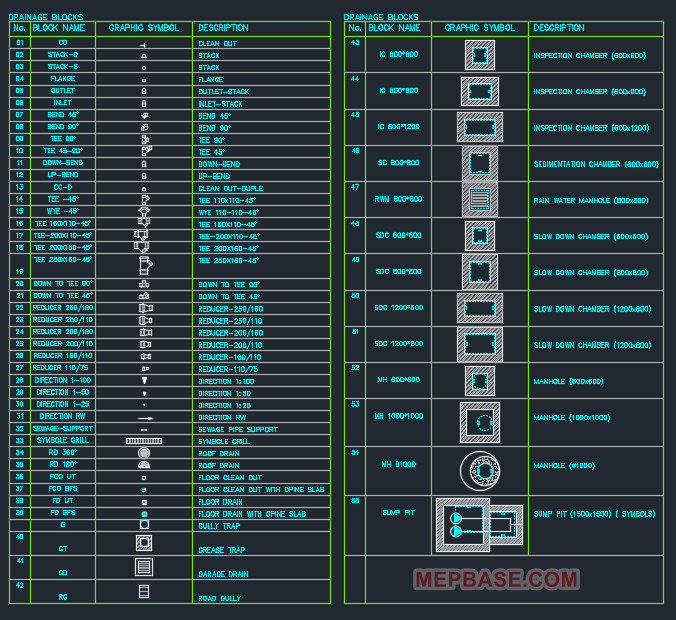
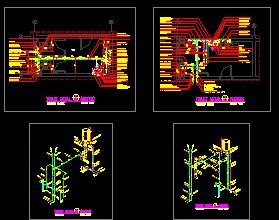
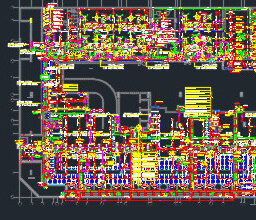
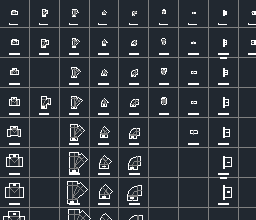
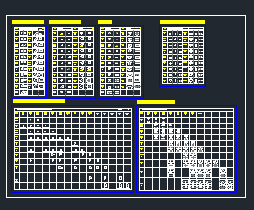
Need ready-made AutoCAD blocks for sewage and drainage drawings? This Sewage Blocks DWG free download gives you a set of essential 2D drainage details — manhole, gully trap, grease trap, sedimentation chamber, sump pit, floor drain and more — drawn to scale in metric (mm). Drop them straight into your plumbing, drainage and sanitary layouts to save drafting time. Scroll down for the free download link, file details, and the full list of blocks included.
Checking…
What is this DWG file?
This is a ready-to-use AutoCAD drawing containing a library of sewage and drainage blocks commonly used in plumbing and sanitary design. Every block is a 2D detail drawn to standard proportions, so you can insert, copy and scale them directly into your project sheets. Because it is a standard DWG, it works in AutoCAD and almost every DWG-compatible CAD program — making it a quick free download for draftsmen, MEP engineers and plumbing designers.
File details
| Property | Detail |
|---|---|
| File name | SEWAGE_BLOCKS.dwg |
| File type | AutoCAD DWG (2D drainage blocks) |
| Compatibility | AutoCAD 2004, 2005, 2006 and all newer versions |
| Units | Millimeter (mm) |
| File size | ~142 KB |
| Price | Free download |
Blocks included in this DWG
This free download contains the following sewage and drainage detail blocks:
| Block | Common use |
|---|---|
| Manhole | Access point for inspection and maintenance of sewer lines |
| Gully Trap | Connects waste water to the drain while blocking foul gases |
| Grease Trap | Separates grease and oil from kitchen waste water |
| Sedimentation Chamber (800×800) | Settles solids before water enters the drainage system |
| Sump Pit | Collects waste water for pumping out |
| Floor Drain with Opening Slab | Surface drainage point with a removable cover slab |
| Pipe Support | Supports and fixes drainage pipes in position |
All blocks are drawn in millimeters (mm). Open the DWG to view exact dimensions and any additional details.
How to use the blocks
- Click the free download button above and save the .dwg file to your computer.
- Open it in AutoCAD (2004 or newer) or any DWG-compatible CAD software.
- Use Copy (Ctrl+C) and Paste (Ctrl+V) to bring a detail into your drawing, or insert it as a block.
- Scale or adjust the block to match your project, then connect it to your drainage runs.
- Check that the units (mm) match your drawing before inserting.
Who is this free download for?
Frequently Asked Questions
Is this sewage blocks DWG really free to download?
Yes. This is a 100% free download — you can use the drainage and sewage blocks in your AutoCAD plumbing drawings at no cost.
Which AutoCAD version do I need?
The file is saved in the AutoCAD 2004–2006 DWG format, so it opens in AutoCAD 2004 and every newer release, as well as most DWG-compatible CAD programs.
What units is the drawing in?
The blocks are drawn in millimeters (mm). Make sure your drawing uses the same units before inserting.
What blocks are included?
The free download includes a manhole, gully trap, grease trap, sedimentation chamber, sump pit, floor drain with opening slab and a pipe support detail.
Related free downloads
- PVC Pipe & Fitting Dynamic Blocks DWG — Free Download
- Drainage & Storm Water Shop Drawing — Free Download
Disclaimer: This DWG is shared for reference and educational use. Always verify sizes, materials and standards against your project specification and applicable plumbing/drainage codes before construction.