Black Steel Pipe Dynamic Block – Free DWG Download
Drawing fire fighting and chilled water piping in AutoCAD becomes much faster when you use a smart Black Steel Pipe Dynamic Block. Instead of inserting a new block for every pipe size or changing the elbow direction by hand, this single block lets you click to pick the size you need and switch between an up elbow and a down elbow in seconds. In this post you can free download the ready-to-use Black Steel Pipe Dynamic Block DWG file for your MEP shop drawings.
What Is a Black Steel Pipe Dynamic Block?
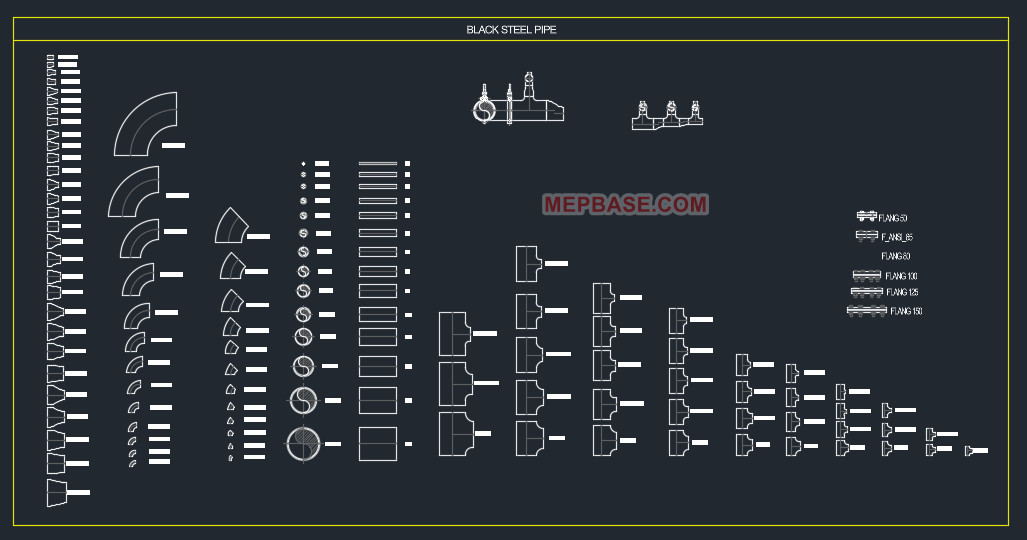
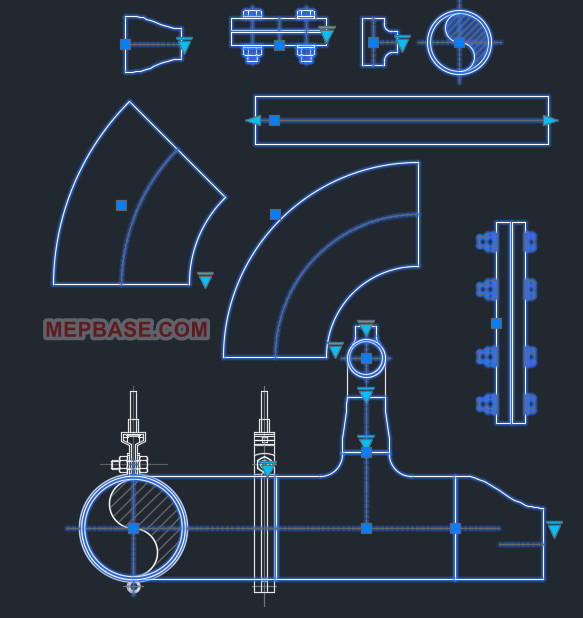
Black steel pipe (carbon steel) is widely used in fire fighting sprinkler networks, chilled water lines, and other MEP services. A black steel pipe dynamic block is an intelligent AutoCAD block that carries multiple pipe sizes and fitting directions inside one single block. Using built-in parameters, visibility states, and lookup tables, you control the whole pipe from one grip — so there is no need to keep a separate block for every diameter.
Features of This Black Steel Pipe Dynamic Block
Click-to-Change Pipe Sizes
One block holds the full range of common black steel pipe sizes. Just click the lookup grip and choose the diameter — for example 25mm, 32mm, 50mm, 80mm, 100mm and above — and the pipe updates instantly. No exploding, no swapping blocks.
Up & Down Elbow (Riser Up / Riser Down)
The block includes both an up elbow and a down elbow, so you can show a pipe rising or dropping in plan view with a single click. This keeps your risers and connection points clear, consistent, and to standard.
One Block, Many Uses
Stretch, flip, rotate, and align the black steel pipe without breaking the block. Your drawings stay clean, lightweight, and easy to edit later.
Where to Use Black Steel Pipe Blocks in MEP Drawings
- Fire fighting sprinkler & standpipe layouts
- Chilled water and condenser water piping
- Plant room and riser diagrams
- Shop drawings and coordination drawings
Why Dynamic Blocks Beat Static Blocks
Unlike static blocks, a dynamic block lets you adjust the pipe diameter, flip the fitting, and switch the elbow direction without searching for separate blocks. This saves hours of repetitive work and keeps every drawing accurate and professional. If you found this useful, you can also free download our complete dynamic blocks for HVAC chilled water piping and drainage.
How to Use the Black Steel Pipe Dynamic Block in AutoCAD
- Download and unzip the DWG file.
- Open it directly, or insert it into your current drawing.
- Click the size grip to select the pipe diameter you need.
- Use the flip / visibility grip to switch between the up elbow and down elbow.
- Place the block and continue your piping run.
Compatible with AutoCAD 2016 and all newer versions.
Free Download – Black Steel Pipe Dynamic Block DWG
Download the free Black Steel Pipe Dynamic Block DWG and speed up your fire fighting and chilled water piping drawings with click-to-change sizes and up/down elbows built right in.
⬇ Download Black Steel Pipe Dynamic Block DWG
Conclusion
This black steel pipe dynamic block is a simple but powerful tool for any MEP draftsman. With one click you change the pipe size, and with another you switch the elbow up or down — saving time while keeping every shop drawing clean and standard. Download it free and make it a permanent part of your AutoCAD toolkit.